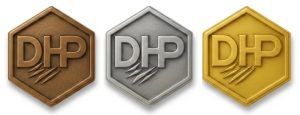
DHP Title PIN Request
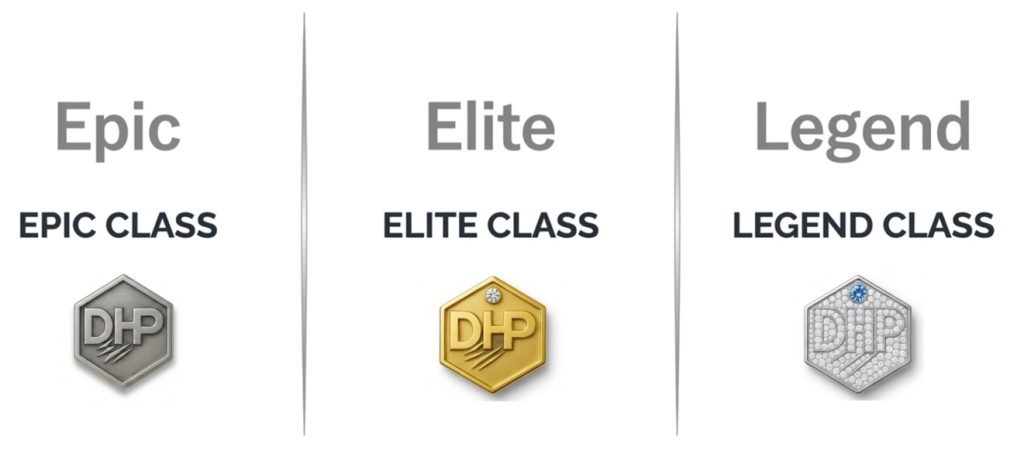
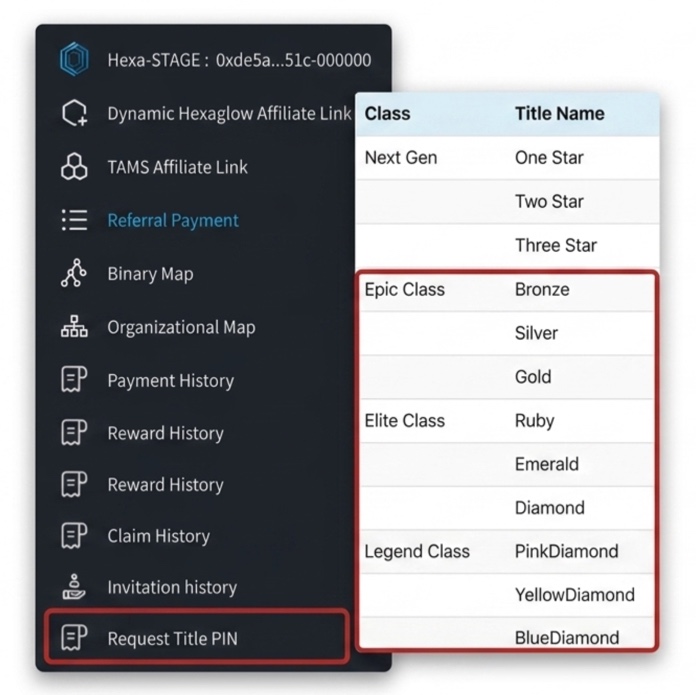
Eligibility and Navigation
Members who are Bronze rank or higher can apply for a Title PIN.
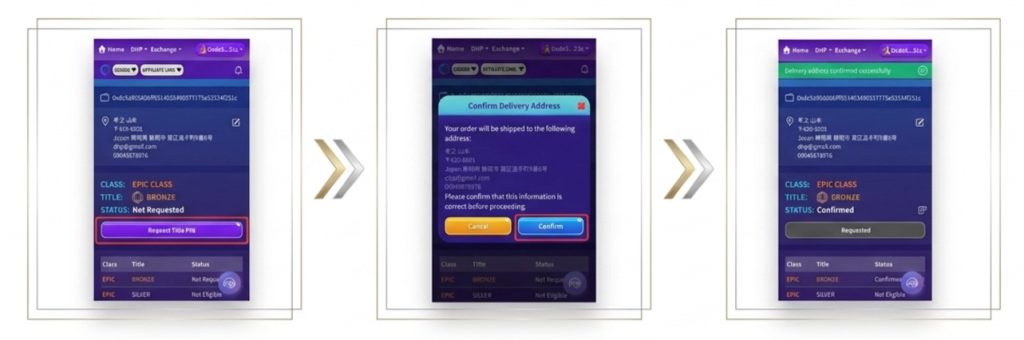
••Please select "Request Title PIN" from the menu on the DHP member page.
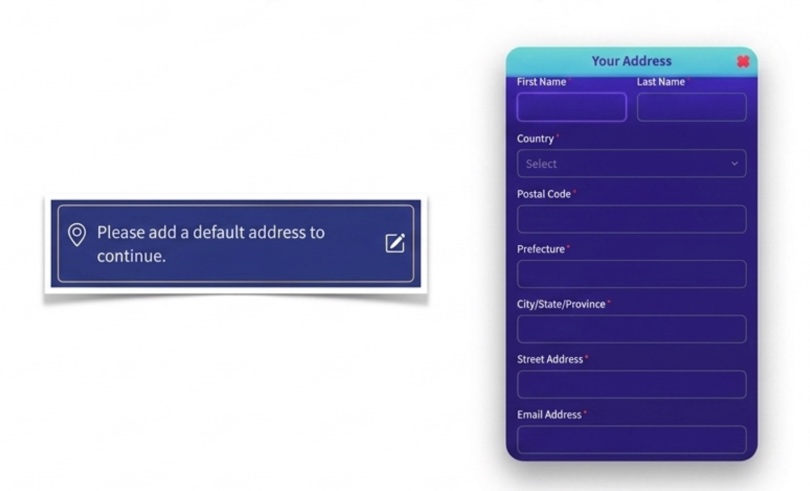
Address Registration
You must register your shipping address. You cannot make a request if the address registration is incomplete.
Please enter your First Name, Last Name, Country, Postal Code, Prefecture, City/State/Province, Street Address, Email Address, and Phone Number.
If you live in Japan, please enter your information in Japanese.
••The registered name will be used as the mailing name, so please ensure that both your name and address are correct.
How to Request
Tap the "Request Title PIN" button.
A confirmation screen will appear. Please check your registered information again and tap the "Confirm" button.
••It will take about 1 to 2 weeks for the PIN to arrive.
Delivery Status and Cancellation
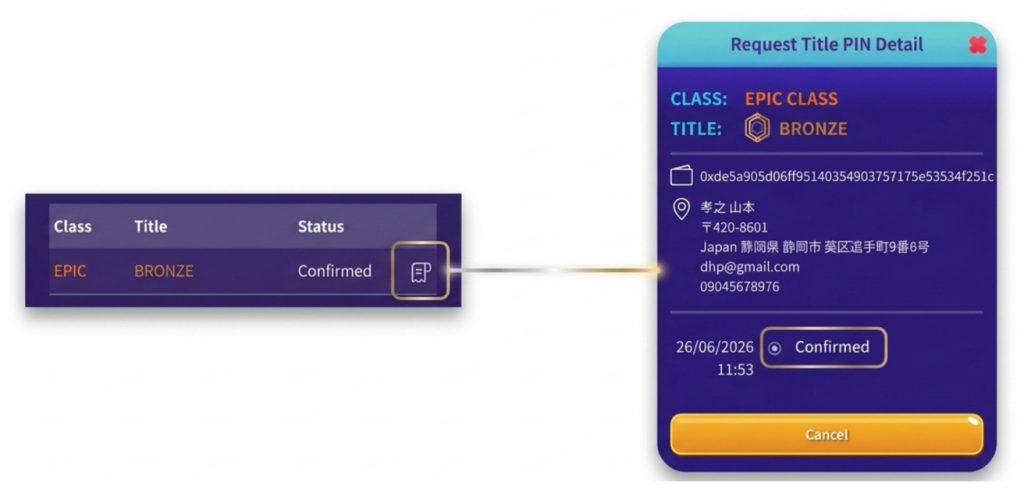
After submitting your request, you can check the delivery status by tapping the designated icon.
You can cancel your request before it is shipped.
••Once the item is shipped, the status will be updated.
Receiving the PIN and Troubleshooting
You must tap "Received" after you receive your PIN. If you do not tap "Received," you will not be able to request your next PIN when you rank up.
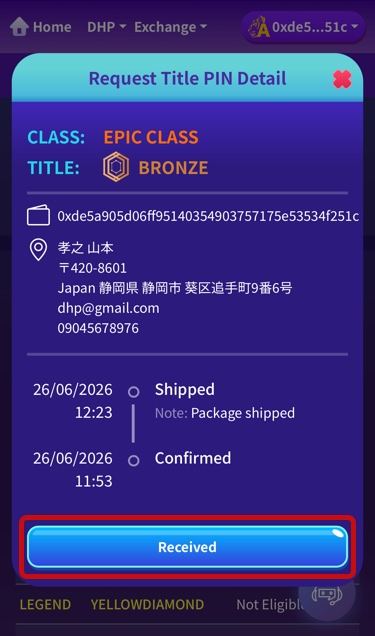
If your PIN does not arrive even after 2 weeks have passed since shipping (and "Received" has not been tapped), an inquiry button will appear. Please notify them that it has not arrived, and DHP support will assist you individually.
For your first order only, PINs for titles below your current rank will be shipped together (e.g., If a Gold member makes their first request, they will receive Bronze, Silver, and Gold PINs).